
.koi files
koi.photo's document format keeps every layer, mask, adjustment and text editable. How to save, open and share it.
A .koi file is a koi.photo document. It keeps your whole project in a single file, fully editable: every layer, mask, adjustment, filter, text and vector shape, exactly as you left it. Save a .koi when you want to come back to a project later, and export a PNG or JPEG when you want a finished image.
What a .koi file keeps
- All your layers: pixel, text, vector, shape, group, adjustment and live filter layers.
- Masks and clipping masks.
- Adjustments and filters as layers you can still change.
- Text you can still edit, and any fonts it uses that you uploaded with Text ▸ Upload Font….
- Layer settings such as opacity, blend modes, layer effects, visibility and locks.
The file doesn't include your undo history. When you open it again, you start with a fresh undo list.
Under the hood, a .koi file is a ZIP archive with the document, your image data and a small thumbnail. Developers can find the details in the .koi file spec.
Save vs Export
Save (.koi) | Export (PNG, JPEG, WebP, SVG, PDF, PSD) | |
|---|---|---|
| What you get | The full, editable project | A finished image or file for other apps |
| Layers stay editable | Yes | Only in PSD, and with some limits |
| Opens in other apps | No, only in koi.photo | Yes |
| Menu | File ▸ Save (⌘S, or Ctrl+S) | File ▸ Export… (⌥⇧⌘W, or Ctrl+Alt+Shift+W) |
Do both: keep the .koi as your master copy and export whenever you need an image. See Export.
How to save a .koi file
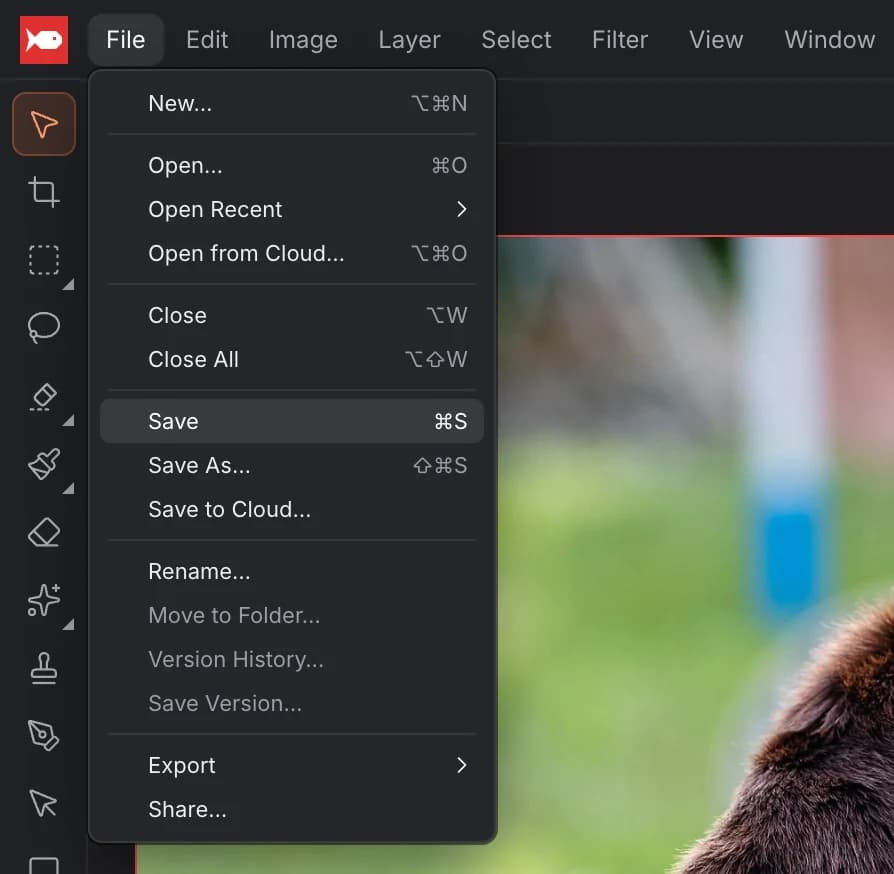
Choose File ▸ Save (⌘S, or Ctrl+S on Windows). What happens next depends on your browser.
In Chrome and Edge, the first save asks where to put the file. After that, ⌘S writes your changes straight back to the same file on your disk, like a desktop app.
In other browsers, such as Firefox and Safari, a web page can't write to a file on your disk, so each save downloads a new copy of the .koi file to your downloads folder.
File ▸ Save As… (⇧⌘S, or Ctrl+Shift+S) saves under a new name. In Chrome and Edge you can also choose PSD there to save a Photoshop copy. Your document itself stays a .koi.
If the document is in the cloud, ⌘S saves your latest changes to the cloud instead. More in Cloud & sharing.
How to open a .koi file
There are several ways:
- Drop it onto the koi.photo window.
- Choose Open… (⌘O, or Ctrl+O) and pick the file.
- Click it under Recent in this browser on the start screen, or choose File ▸ Open Recent.

The recent list works in Chrome and Edge, which let koi.photo remember the file. Click an entry and your browser may ask for permission to open it again.
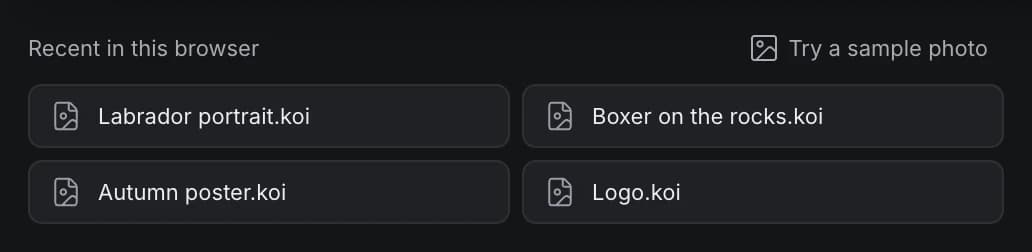
If you open a .koi that still has unsaved changes in this browser, koi.photo asks whether to Restore unsaved changes or Use file (open it as saved).
Autosave vs .koi files
koi.photo autosaves every edit to your browser's storage, and offers to recover unsaved work after a crash. That's a safety net, not a place to keep your work: clearing your browser's site data deletes it, and it only exists in that one browser.
A .koi file is yours. You can back it up, copy it to another computer or send it to someone. → Free & private
Sharing a .koi file vs a share link
- Send the
.koifile when the other person should get their own copy. They open it in koi.photo, and their edits don't affect yours. - Send a share link when you want to work on the same document together. With a free account, save the document to the cloud and click Share. The other person doesn't need an account. → Cloud & sharing
Cloud documents can also be downloaded as .koi files from the Files window.
Compatibility
- A
.koifile opens in koi.photo, in any supported browser. - A file saved by a newer version of koi.photo may be refused by an older one, with the message "Created with a newer version of koi.photo". Reload the page to get the latest version.
- When you open a
.koi, koi.photo checks it. Adjustment settings that are out of range (for example from a damaged file, or one written by another tool) are corrected, and a message tells you. You're also told about text layers that have no fill or stroke and so can't be seen. - Data that other tools stored inside a
.koiis kept when you save it again in koi.photo. - Other apps can't open
.koifiles. To hand a layered file to someone using Photoshop, export a PSD instead. → PSD files
FAQ
What program opens a .koi file? koi.photo, in your browser. Go to koi.photo and drop the file onto the page. Nothing needs to be installed.
Is a .koi file the same as a PSD? No. Both keep layers, but .koi is koi.photo's own format and keeps everything editable. A PSD is for exchanging files with Photoshop and other apps, and some koi.photo features are converted to pixels when you export one.
Why did my browser download a new file every time I saved? Your browser doesn't let web pages write to files on your disk, so koi.photo downloads a copy instead. Chrome and Edge can save back to the same file.
Can I open a .koi file on another computer? Yes. Copy the file over and open it in koi.photo there. Or save the document to the cloud and open it from any device where you sign in.